
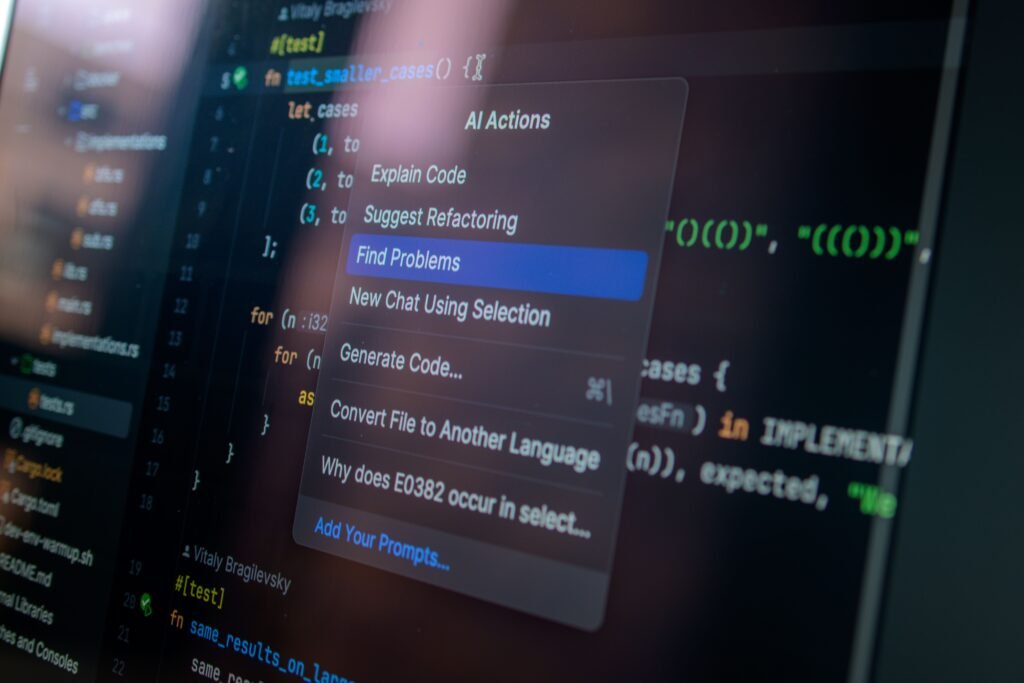
AI-Native Development means building software, websites, apps, and digital products with AI as a central part of the development process, rather than treating AI as just an extra tool.
1. What does AI-Native Development mean?
Traditional development often looks like:
Human → Write code → Test → Fix bugs → Deploy
AI-native development can look more like:
Human → Describe what they want → AI generates code → AI tests → Human reviews → Deploy
For example, instead of manually writing hundreds of lines of code for a website, you could tell an AI:
“Create a modern online store for a clothing business with a product catalog, shopping cart, customer login, and payment page.”
The AI can help generate much of the initial software.
2. What can AI help developers do?
AI can assist with:
- 💻 Writing code
- 🐛 Finding and fixing bugs
- 🧪 Creating tests
- 🎨 Designing interfaces
- 📱 Building mobile applications
- 🌐 Creating websites
- 🗄️ Designing databases
- 📚 Explaining unfamiliar code
- 🔄 Refactoring and improving existing code
- 🚀 Preparing applications for deployment
3. AI-Native vs traditional development
| Traditional Development | AI-Native Development |
|---|---|
| Developer writes most code | AI can generate significant portions |
| Manual debugging | AI assists with debugging |
| Manual documentation | AI can generate documentation |
| Developer searches for solutions | AI can suggest solutions |
| Development can be slower | Many tasks can be accelerated |
| Human-centered workflow | Human + AI workflow |
4. Real-world example
Imagine you want to create a restaurant ordering website.
You could ask an AI coding assistant:
“Build a restaurant website where customers can view the menu, add food to a cart, place an order, and receive an order confirmation.”
The AI could help create:
Frontend → what customers see
Backend → business logic
Database → customer/order information
API → communication between systems
Tests → checking that features work
You still need a human to review, test, secure, and make decisions about the software.
5. Why is it important in 2026?
AI-native development is changing who can build software.
Previously, becoming a developer often required learning programming before you could build useful applications.
Now, AI allows people to start with ideas and natural-language instructions, while learning programming alongside the process.
However, learning programming is still valuable. AI-generated code can contain bugs, security problems, poor architecture, or incorrect assumptions.
6. Skills to learn
If you want to become good at AI-native development, focus on:
- AI prompting
- HTML & CSS
- JavaScript / TypeScript
- Python
- Git & GitHub
- APIs
- Databases
- AI APIs and LLMs
- Software testing
- Cybersecurity basics
💰 Business opportunity
AI-native development can be particularly useful for starting a small digital service business.
For example, you could offer:
- Website development
- Business automation
- AI chatbots
- Customer-support systems
- AI-powered marketing tools
- Internal business dashboards
- E-commerce websites
The big idea is:
AI-native development doesn’t mean “AI replaces developers.” It means developers use AI as a powerful development partner.